# iPad Screen Replacement Parts: A Repair Shop Guide to Laminated, Non-Laminated and A-Numbers
Short answer: Choosing iPad screen replacement parts starts with the model number (A-number) and the display construction. Base iPads use non-laminated screens, so the glass digitizer and LCD are replaced separately. iPad Air 2 onward, mini 4 onward and every iPad Pro use laminated assemblies, which are replaced as one LCD + digitizer unit.
Ordering iPad screen replacement parts goes wrong in a different way from ordering phone screens. An iPad shop that orders the wrong part often finds out after the old panel has come off with heat and a pry tool, and the new one turns out to have the wrong flex, frame cut-out or lamination. This guide covers what a Bangladesh repair shop or parts reseller needs to know before ordering: how iPad displays are built, which models let you replace the glass on its own, how WiFi and Cellular versions differ, how to read the A-number, and how to handle large panels so they arrive working.
How Is an iPad Display Built? Laminated vs Non-Laminated
Every iPad screen has two functional layers. The LCD makes the image. The digitizer is the touch-sensitive glass layer that reads fingers and, on supported models, the Apple Pencil. How those two layers are joined decides the whole repair.
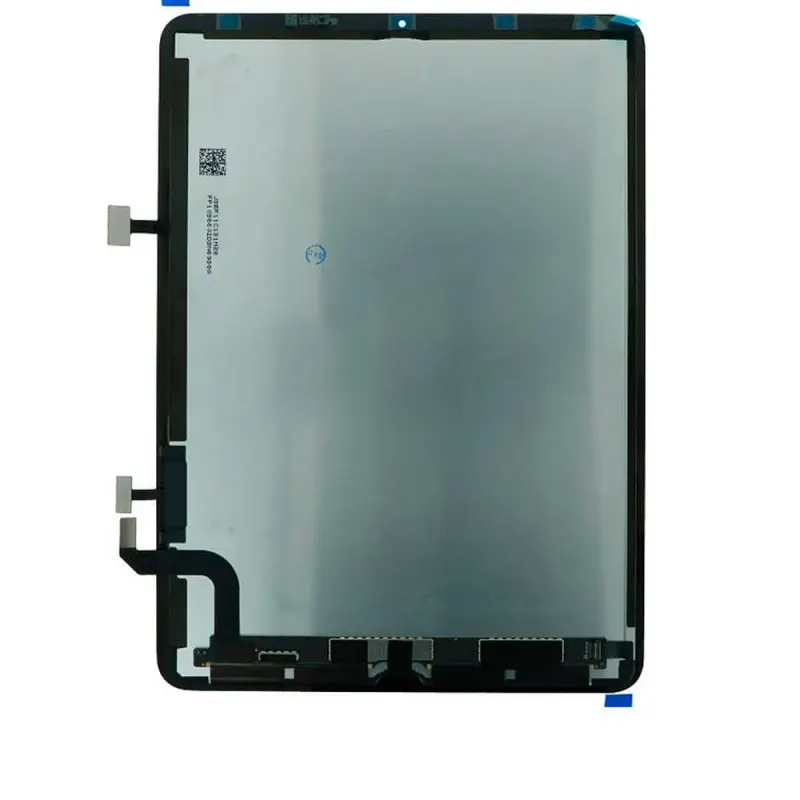
A non-laminated iPad display is one where the digitizer glass and the LCD are separate parts with an air gap between them. A laminated iPad display is one where the digitizer glass and the LCD are bonded together with optical adhesive into a single assembly, so they are sold and replaced as one unit.
The split runs roughly along product lines:
- Base iPad (iPad 2 through iPad 10): non-laminated. A cracked front glass usually needs only a digitizer. A dead or bleeding LCD needs only the LCD.
- iPad Air 1: non-laminated, like the base models of its era.
- iPad Air 2 through Air 6 (M2): laminated. Glass and LCD come as one assembly.
- iPad mini 2 and mini 3: non-laminated.
- iPad mini 4 through mini 7: laminated.
- iPad Pro (9.7, 10.5, 11 and 12.9 inch): laminated on every generation.
On a non-laminated base model, a cracked screen is usually a digitizer swap. On a laminated Air, mini or Pro, it means replacing the whole, more expensive display assembly.
LCD Only vs LCD + Digitizer Assembly: Which Part Do You Need?
Supplier catalogues, including ours, list iPad screens in a few different forms. Read the description carefully, because the same model can appear more than once.
| Part type | What it contains | Typical models | When to order it |
|---|
| LCD only | Display panel, no touch glass | iPad 2–10, Air 1, mini 2/3 | Glass is intact but the image is broken: lines, bleeding, black screen |
| Digitizer only | Touch glass, no LCD | iPad 2–10, Air 1, mini 2/3 | Glass is cracked or touch is dead, image is fine |
| LCD + digitizer assembly | Laminated or pre-assembled glass and LCD | Air 2–Air 6, mini 4–mini 7, all Pro | Any glass or display damage on laminated models |
| Assembly with sticker / sleep-wake sensor | Assembly plus adhesive and smaller flex parts | Air 2, mini 4, Pro 9.7, Air 3 | Saves fitting time and lowers the risk of a dead smart-cover sensor |
Two notes from the bench:
- "Assembly" on a base iPad. Some base-model listings, such as iPad 10 assemblies, ship with the digitizer already fitted to the LCD. That saves labour but costs more than the separate parts. If the customer's LCD is fine, an LCD-only or digitizer-only part is usually the better buy.
- Home button and Touch ID. On older laminated models with a home button on the glass (Air 2, mini 4, Pro 9.7), Touch ID is paired to the logic board. Move the customer's original button across. A replacement button will press, but it will not unlock with a fingerprint.
Which iPad Models Can Have Only the Glass Replaced?
At the counter, the honest answer is: only the non-laminated ones. On iPad 2 to iPad 10, iPad Air 1 and iPad mini 2/3, the front glass digitizer is its own part, and changing it is routine work.
On laminated models, separating cracked glass from a working LCD means refurbishment. It takes a separator, an OCA (optically clear adhesive) laminator and a clean environment. iFixit's iPad repair section shows how much heat and careful prying even standard iPad repairs need. Glass-only refurbishment of a laminated panel is a specialist workshop process, not a quick counter repair. For most shops, the laminated assembly is the reliable route.
How to Identify an iPad Model Number (A-Number) Before Ordering
The A-number is the single most reliable identifier for ordering iPad screen replacement parts. Marketing names like "iPad Air 2020" or "the 10.9 inch one" match several different parts. The A-number is specific to one hardware variant.
Apple's guide to finding the model number of your iPad gives the on-device route:
- Open Settings and tap General.
- Tap About.
- Find the part number next to Model Number.
- Tap the part number to show the A-number.
If the screen is too damaged to use, check the back case. Apple notes that some iPads have the model number printed on the back. Then match it against Apple's Identify your iPad model list. For example, Apple lists the iPad (10th generation) as A2696 for WiFi and A2757 for WiFi + Cellular. That is why a part like our iPad 10 LCD is described with its A-number rather than just "iPad 10".
Make the A-number a required field on every iPad parts enquiry. Shops that order by A-number get far fewer returns for "fits but doesn't fit" than shops that order by size or year.
Do WiFi and Cellular iPads Use the Same Screen?
Not always, and this catches out experienced technicians. On several generations the WiFi and Cellular versions use display assemblies that differ in flex routing, frame details or adhesive layout around the antenna area. For example, iPad Air 4 and iPad mini 6 screens are sold as separate WiFi and Cellular (4G) SKUs. A part from the wrong variant can look identical on the bench and still not seat or close properly.
Each variant has its own A-number, so the rule above covers this too. If the customer's iPad has a SIM tray, treat it as Cellular and confirm the A-number before ordering.
Apple Pencil, ProMotion and True Tone: What to Check
Three display features cause most "it works, but…" complaints after an iPad screen replacement.
Apple Pencil. Pencil input is read through the display assembly, so screen quality directly affects pencil accuracy, palm rejection and line tracking. Base iPads from the 6th generation onward, iPad Pro 9.7 and the newer Air and mini models all support some form of Apple Pencil. Pencil support varies by generation, and Apple's model list shows which Pencil each iPad supports. After installation, test on the bench: draw slow diagonal lines and fast strokes across all four corners, and rest a palm on the glass while writing.
ProMotion. ProMotion is Apple's adaptive refresh rate technology, running up to 120Hz, used on iPad Pro models from the 2017 10.5 and 12.9 inch generation onward. iPad Pro 9.7 does not have it. A replacement assembly for a ProMotion iPad must support the same refresh behaviour. If scrolling feels choppy after a repair, the part is the first suspect.
True Tone and ambient light. On models with True Tone, the feature depends on the display data being moved or supported correctly. Check it in Settings > Display & Brightness after every fit, and before the customer leaves.
Handling and Packaging Large iPad Panels
An iPad Pro 12.9 assembly is a large, thin sheet of glass bonded to an LCD, with a fragile flex cable at one edge. The usual damage points are corner impacts, pressure from stacked cartons and over-bent flex cables.
Practical rules for shops and resellers:
- Store panels flat, screen-side protected, never on edge and never stacked loose.
- Keep factory protective film on until the part is tested in the device.
- Never fold the flex to fit a box. Bent flex cables cause intermittent touch faults that look like a bad digitizer.
- Inspect on receipt: check corners for chips, look at the panel under a light for pressure marks, and test before signing off.
- Test before you glue. Connect the panel, power on, and check display, touch, Pencil and sensors before applying adhesive. A part that fails after adhesive is on is hard to send back as a warranty claim.
How KHI Supplies iPad Displays to Bangladesh
K.H. Infinity (KHI) is a Bangladesh B2B importer of phone, tablet and laptop repair parts sourced from Shenzhen, China, with in-house NBR customs clearance and CE and RoHS supplier documentation. Our iPad display range covers iPad 2 to iPad 10, iPad Air 1 to Air 6 (M2), iPad mini 2 to mini 7, and iPad Pro 9.7, 11 and 12.9 inch, listed by A-number and WiFi or Cellular variant where the parts differ.
iPad displays are imported as flat panel display modules under HS 8524.91.00, the HS 2022 subheading for liquid crystal flat panel display modules. For how that classification feeds into landed cost, see our HS codes and import duty guide for phone parts. Phone-screen buyers should also read our iPhone display grades guide, and MacBook shops our MacBook parts A-number sourcing guide.
Send us your A-number list for a B2B quote, or browse the full iPad display catalogue. Recurring buyers can also join our phone parts programme for scheduled restocking.
Frequently Asked Questions
Can I replace just the glass on an iPad?
Yes, on non-laminated models: iPad 2 to iPad 10, iPad Air 1 and iPad mini 2/3. On these, the digitizer glass is a separate part from the LCD. On laminated models (Air 2 onward, mini 4 onward, all iPad Pro), the glass is bonded to the LCD, and the standard repair is a full LCD + digitizer assembly.
What is the difference between an iPad LCD and an LCD assembly?
An LCD is only the image panel, with no touch glass. An LCD assembly includes the LCD and the digitizer glass together, either laminated or pre-fitted. Laminated iPads always need the assembly. Non-laminated iPads can take the LCD or the digitizer on its own.
How do I find my iPad's A-number if the screen is broken?
Check the back case, where many iPads have the model number printed in small text. If the screen still works, go to Settings > General > About and tap the part number to reveal the A-number. Match it against Apple's "Identify your iPad model" page before ordering.
Are WiFi and Cellular iPad screens interchangeable?
Not on every generation. Some models, including iPad Air 4 and iPad mini 6, use separate WiFi and Cellular display assemblies with small differences in flex or frame details. Always order by the A-number, which is unique to each variant.
Will Apple Pencil work after an iPad screen replacement?
It should, if the replacement assembly is the correct part for that A-number and meets spec. Pencil input runs through the display, so test line tracking, corner accuracy and palm rejection on the bench before applying adhesive. If anything is off, report it before you close up the device.
Which HS code applies to iPad display imports into Bangladesh?
KHI imports iPad LCD display assemblies under HS 8524.91.00, the HS 2022 subheading for flat panel display modules of liquid crystals. Duty rates for that code are set in the Bangladesh Customs Tariff, so check the current First Schedule or NBR operative tariff for applicable rates.